Recognize spoof and phishing messages
How to report phishingForward phishing emails to: phishing@vinted.com
Contact us via the button below and include details about the phishing or scam.
Phishing is a scam where someone sends a message to trick you into revealing your personal data or to install malware on your devices.
These scammers often impersonate Vinted or create messages and websites that look realistic so they can get your login details, passwords, or payment details. Once they have this, they might lock you out of your accounts, take money from you, or commit fraud with your data.
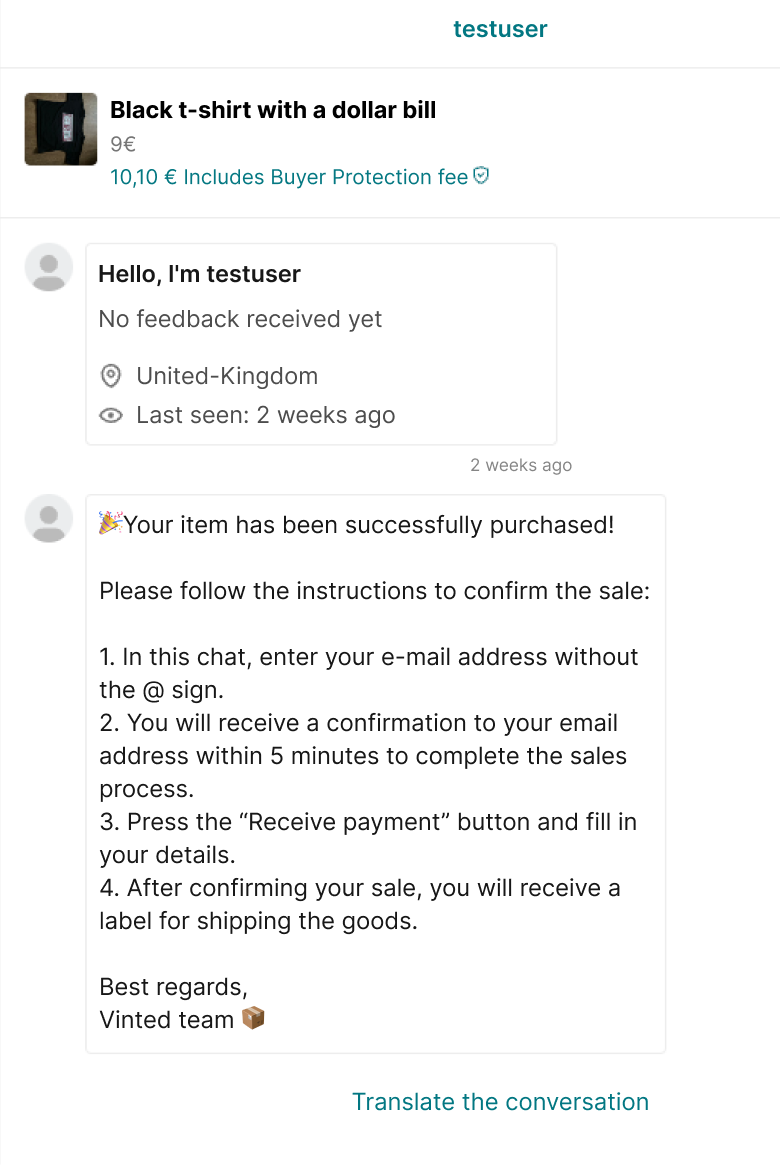
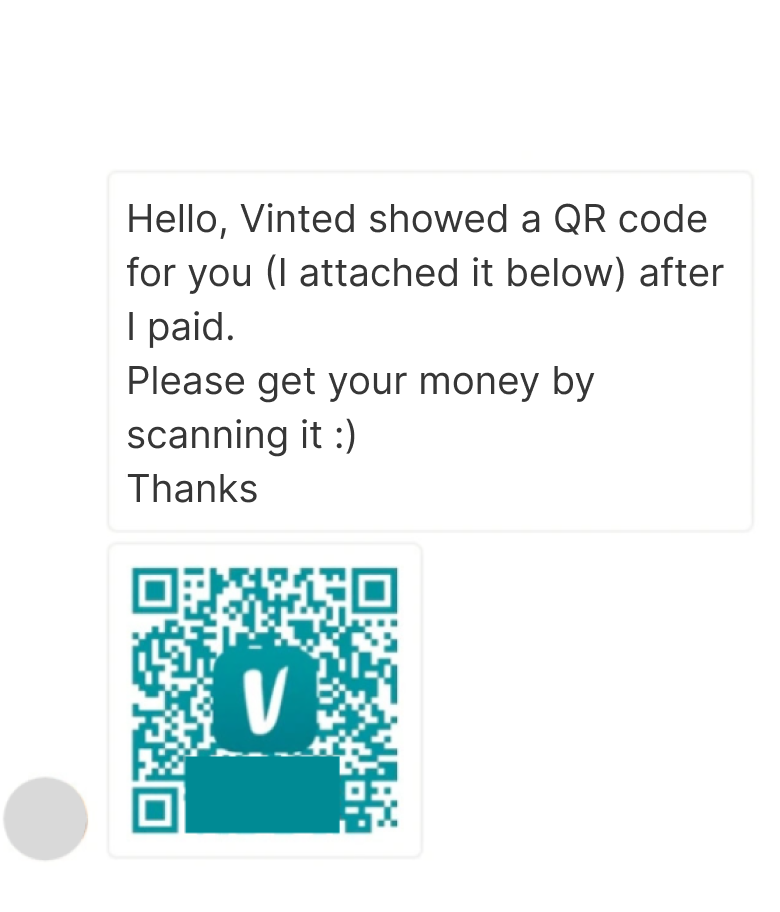
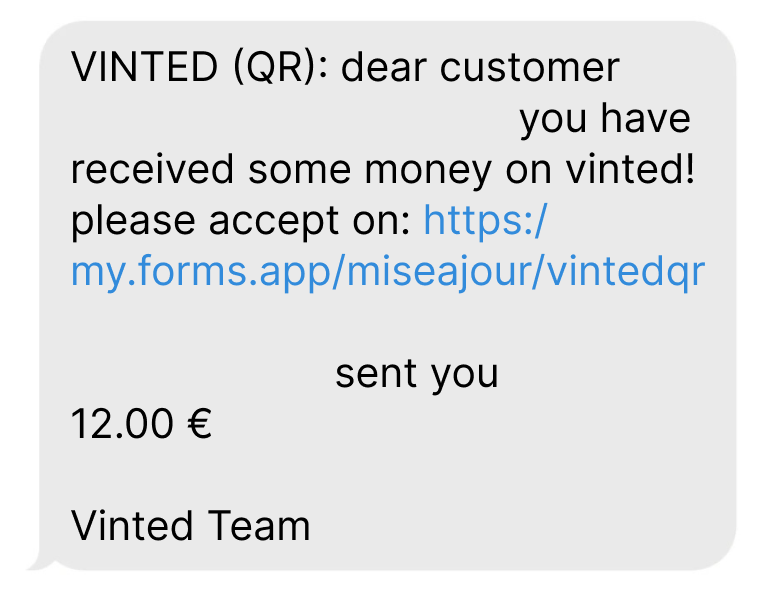
Phishing methods can include messages on Vinted, text messages to your phone, emails, and QR code attachments.
1. Report the scam to us
Press “Contact us” below to contact our support team, or forward phishing emails to: phishing@vinted.com
When you contact us, make sure to include:
- screenshots of the message or email
- the username or profile link of the Vinted member who asked for your details, when relevant
- the sender’s email address or phone number, if you have it
- any bank transfer details that you were asked to send money to
2. Secure your details and accounts
Freeze your bank accounts, bank cards, or credit cards to stop any future payments from going out.
Update the passwords of any potentially compromised accounts if you can still log in to them. Add multi-factor authentication to your accounts for extra security.
3. Take further action
If you’ve lost access to an account, find out how to report a hacked or compromised account on Vinted.
Check with your bank if you can revert a payment that was wrongfully sent. Contact your local police if you’ve had money taken from your bank account.
Note that we can’t be held responsible for any losses resulting from scams or phishing attempts.
We’ve designed Vinted with safety in mind, that’s why we recommend using our checkout and shipping features to help you shop and sell safely.
Here are more ways to avoid scams and phishing attempts:
- Avoid leaving Vinted to contact others or send payments. Scammers might try to lead you away from Vinted to get your contact details or ask you to enter your credentials on their fake website. Stay on Vinted throughout an order and watch out for messages that try to lead you elsewhere.
- Watch out for messages that pressure you to act quickly. Scammers use urgent language, time limits, and threats to make you act quickly. They might pressure you to open a link before it expires, or threaten that your account will be blocked or an order canceled if you don’t act immediately.
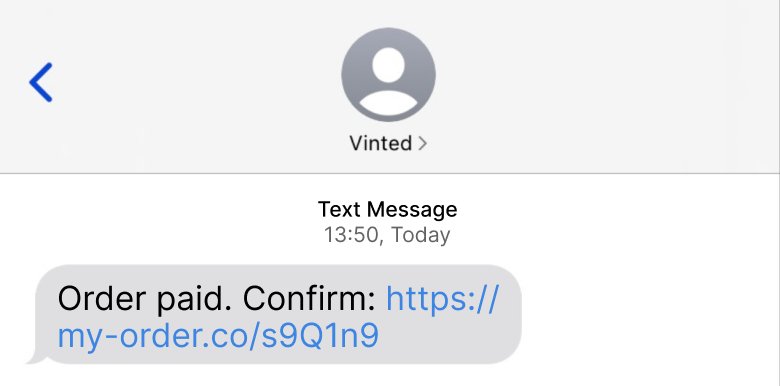
- Don’t open suspicious links. You don’t have to leave Vinted to confirm a payment or receive an order. Some links might even contain attachments that include malware or viruses. Avoid opening links that you’re not sure about. You’ll see a pop-up warning when you’re leaving Vinted through a message link.
- Check message details carefully. Scammers use website designs and email addresses that look real but with slight differences, like the wrong colors or extra letters and numbers in their name. Be cautious of messages or websites that look real but ask for your data.
- Be careful with your data. Unless you’ve contacted our support team about an issue, avoid providing your data in messages. Information from your Vinted profile settings (like payment details, contact details, or an address) is usually automatically used to complete a transaction, so you don’t have to provide these in messages either.
- Checkout using the “Buy now” button. Our payment service provider will handle the transaction securely and your payment details won’t be shared with a seller. If you’ve chosen integrated shipping, we securely forward only essential delivery data to the shipping providers, so you don't need to provide data in a message.
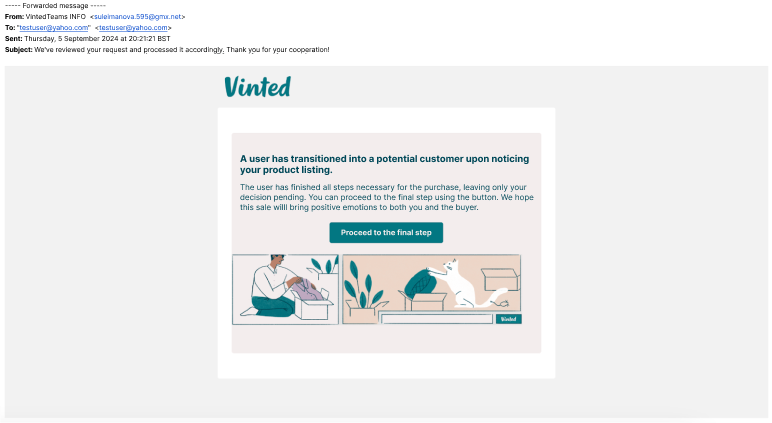
- Know how to recognize authentic Vinted messages. We send emails via an address that ends with @vinted.com. Be careful of email addresses that are different from this. We’ll only contact you using this support account, if needed. All official updates come from our Vinted account, which has a unique badge next to its name.
Our official account and badge

Learn how to recognize phishing and scam attempts with these examples. These are real phishing messages that Vinted members received.
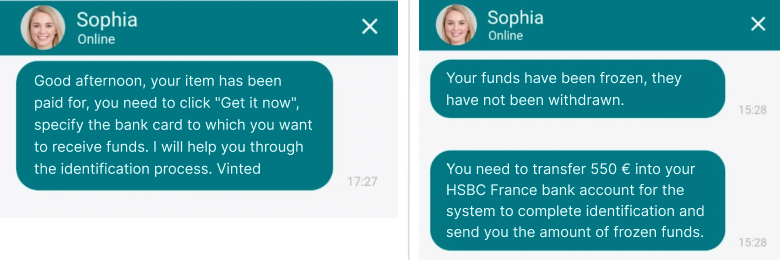
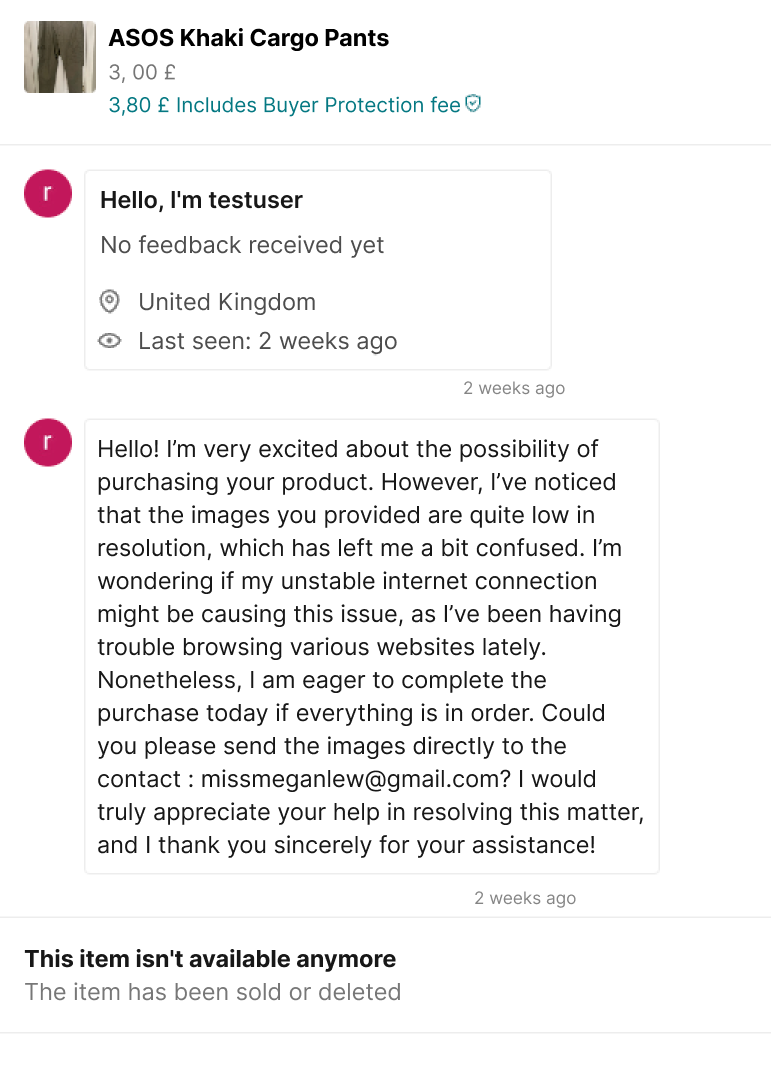
Example 1: In-app messages asking to send information to an email, open a link, share a personal email, or scan a QR code
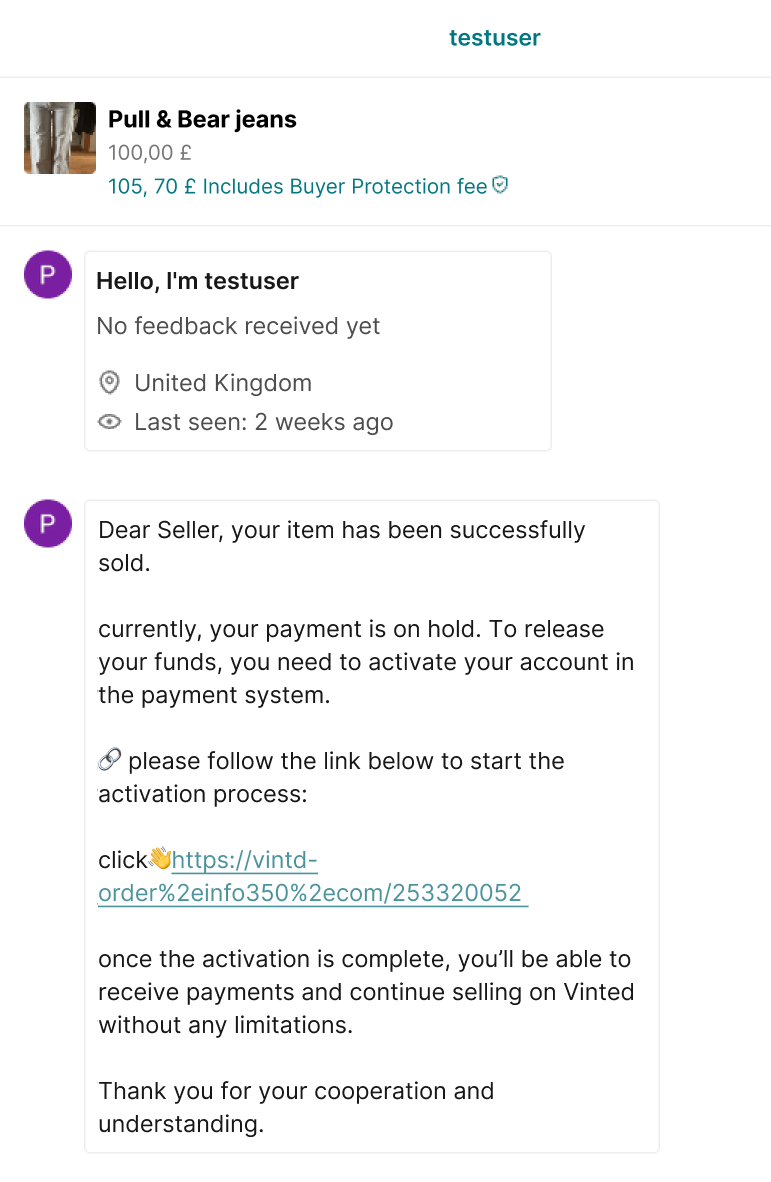
Example 2: Sending a fake email asking you to open a malicious link to confirm a sale
Example 3: Sending a fake message to your phone number, asking you to open a malicious link
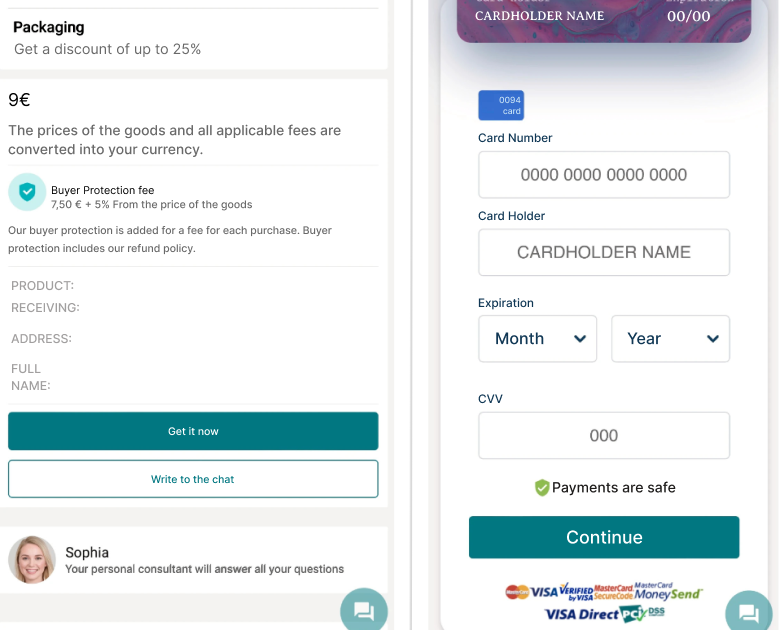
Example 4: Examples of fake Vinted websites offering support or asking for payment details